
Introduction to Mind Mapping and Mental Clarity
What is Mind Mapping?
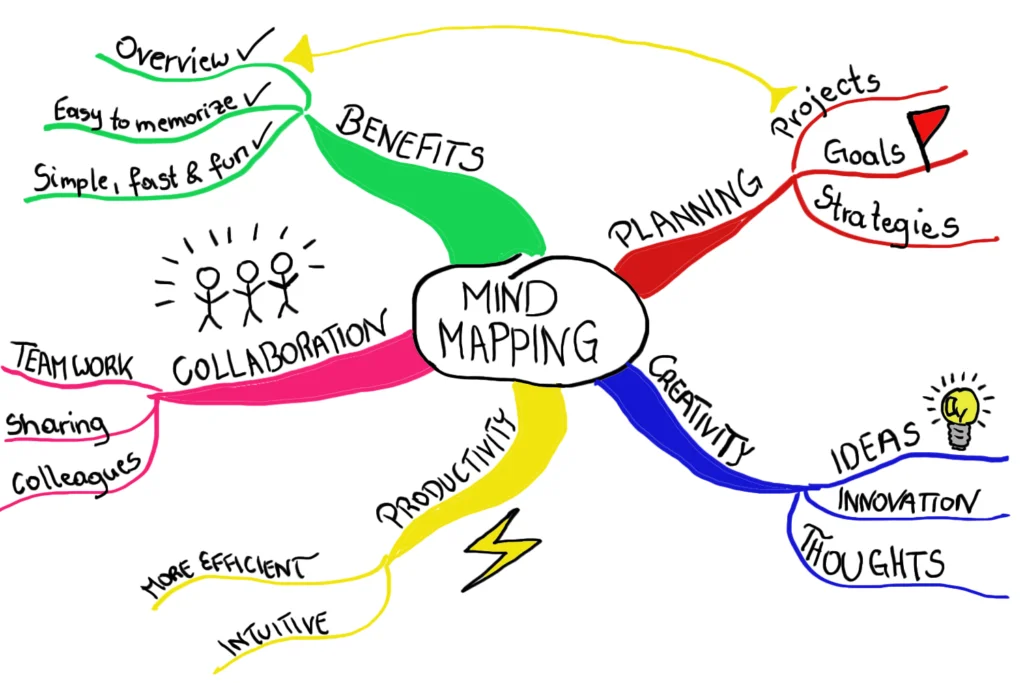
Imagine sitting at your desk with a million thoughts racing through your mind about an upcoming project. Mind mapping offers a visual method to capture these thoughts in a structured manner. Essentially, mind mapping is a diagramming technique that organizes information hierarchically around a central concept. It uses branches to represent ideas, tasks, or concepts linked to the core theme. This technique not only helps declutter the mind but also enables clearer thinking by making abstract ideas tangible.
Understanding Mental Clarity in Work Projects
Mental clarity during work projects refers to having a focused, distraction-free mindset where priorities are clear, and decision-making feels natural. Without clarity, employees often find themselves overwhelmed, jumping between tasks or losing track of deadlines. Mental clarity is crucial because it allows teams and individuals to work efficiently, minimize errors, and navigate complexities with ease. When minds are clear, creative solutions emerge faster, stress reduces, and productivity rises.
Benefits of Mind Mapping for Work Productivity
Enhancing Focus and Organization
Jane, a project manager at a marketing firm, found herself struggling with scattered ideas during client campaigns. When she started using mind maps, she was able to break down large projects into smaller, manageable tasks visually. This boosted her focus because she could see priorities laid out clearly, reducing the chaos in her workflow. Organizing information this way helps teams stay aligned, ensuring everyone understands their part in the bigger picture.
Stimulating Creative Problem Solving
During a product development cycle, Tom’s team faced a roadblock with customer feedback integration. Instead of conventional meetings, Tom introduced mind mapping sessions. The visual format encouraged brainstorming and made connections between ideas apparent, leading to innovative solutions they hadn’t considered. By visually linking problems and ideas, mind maps stimulate creative thinking and help teams rethink challenges from new angles.
Reducing Stress and Overwhelm
When overwhelmed, it’s common to feel stuck. Sarah, a software developer, used to jot down to-do lists that quickly became cluttered and confusing. By switching to mind mapping, she could see the entire project scope at once, prioritize effectively, and avoid last-minute rushes. This transparent overview reduced her stress because nothing was forgotten or left ambiguous, creating a calming effect in the often hectic world of project deadlines.
Step-by-Step Guide to Creating Effective Mind Maps
Selecting the Right Tools for Mind Mapping
The first step in creating effective mind maps is choosing tools that suit your working style. While some prefer the tactile feel of pen and paper, digital tools like MindMeister or XMind offer flexibility with easy edits and collaboration features. For instance, a remote team working on multiple tasks can benefit greatly from online software that updates in real-time.
Identifying the Central Theme or Project Goal
Start your mind map by clearly defining the central idea. If you’re planning a product launch, write “Product Launch” smack in the center. This helps anchor all subsequent branches and keeps the entire map focused. David, a team leader, once shared how articulating the project goal upfront helped him steer discussions and decisions more purposefully, avoiding wanderings into unrelated topics.
Branching Out Ideas and Tasks Systematically
Once the core is set, begin branching out major categories such as “Marketing,” “Development,” “Budget,” or “Timeline.” Under these branches, break tasks or ideas further into subtasks. This hierarchical approach ensures no detail gets missed and that each piece fits logically within the project framework. For example, under “Marketing,” you might include “Social Media,” with further branches like “Content Calendar” and “Influencer Outreach.”
Incorporating Colors and Symbols for Better Recall
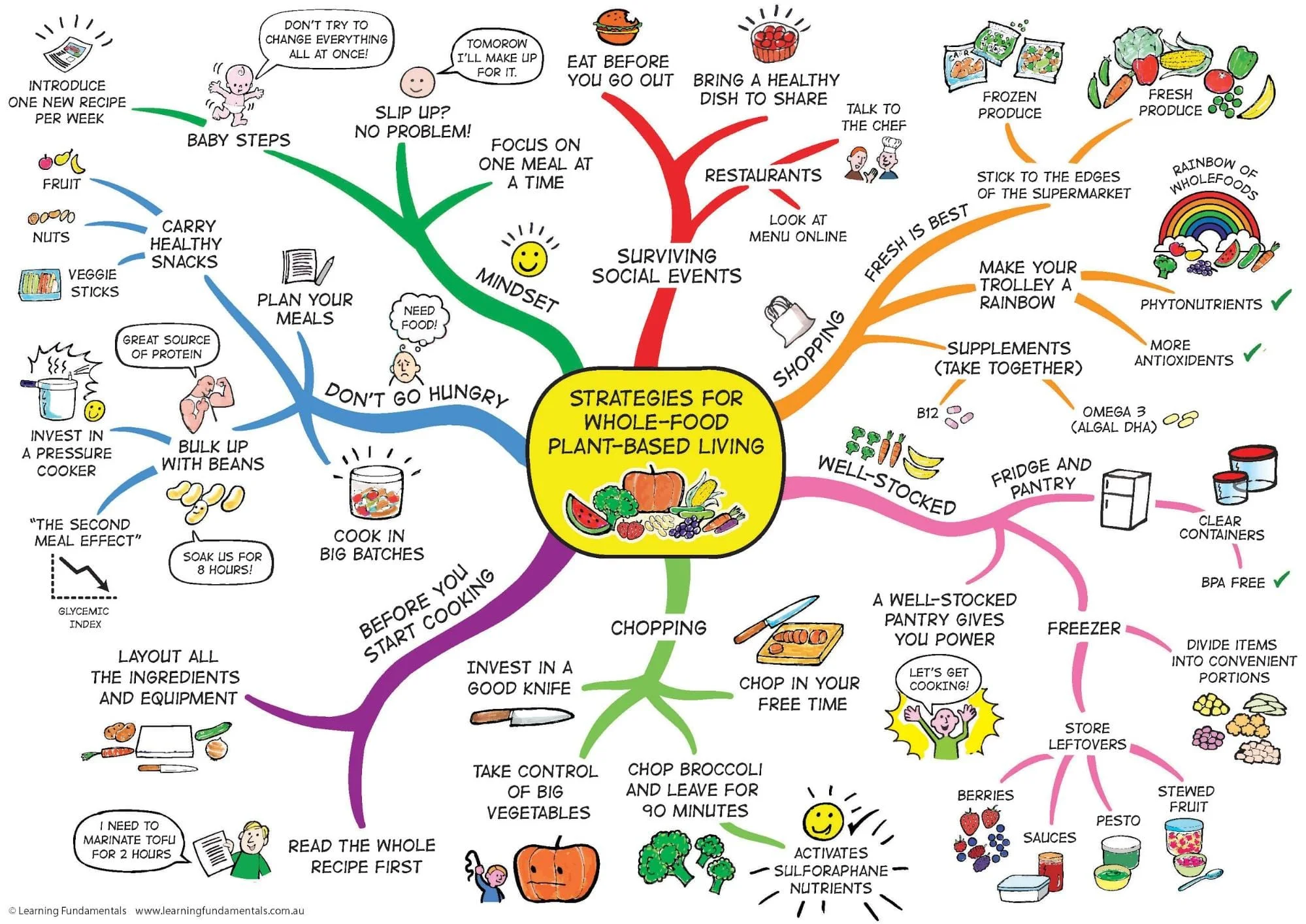
Colors and symbols add another layer of meaning and improve memory retention. Assign different colors to branches for quick recognition—for instance, red for urgent tasks and green for completed items. Using icons like checkmarks, clocks, or warning signs can visually prioritize or highlight issues. Emily, a graphic designer, shares how color coding her mind maps not only helped her stay organized but also made presentations clearer to clients.
Real-World Applications: Mind Mapping During Work Projects
Planning and Strategizing Project Phases
When launching a new business initiative, project phases like ideation, prototyping, testing, and deployment can get lost in the shuffle. Mind mapping allows leaders to lay out these phases sequentially while documenting dependencies and deadlines visually. For example, Mark, a product owner, uses mind maps during kickoff meetings to ensure every stakeholder is on the same page about timelines and responsibilities.
Tracking Progress and Adjusting Priorities
During ongoing projects, priorities often shift. Mind maps act as dynamic tools that evolve with the project. Simply updating branches to reflect completed tasks or emerging challenges gives teams immediate insight into status. Rachel, who manages large-scale events, updates her mind maps weekly, enabling quick adjustments that keep projects on track without lengthy status meetings.
Advanced Techniques to Maximize Mind Mapping Impact
Integrating Digital Mind Mapping Software
With remote work becoming the norm, integrating cloud-based mind mapping platforms can transform collaboration. Tools like Miro or Lucidchart allow multiple users to edit simultaneously, embed documents, and link external resources. This integration fosters transparency and collective problem-solving, ensuring the mind map is a living document reflecting real-time project evolution.
Combining Mind Mapping with Other Productivity Tools
Mind maps don’t have to exist in isolation. Combining them with task management apps like Trello or Asana can create seamless workflows. For example, a mind map can serve as the project blueprint, while actionable items transfer to task boards for tracking execution. This approach provides both the big picture and granular detail, improving overall project management efficiency.
Common Challenges and How to Overcome Them
Avoiding Overcomplicated Maps
One common pitfall is creating mind maps so dense they become confusing. Overloading a map with too much detail can defeat its purpose. To avoid this, focus on high-level branches first, then create separate maps for subprojects if necessary. Alex, a consultant, advises keeping maps simple and clear, making them easier to use and update over time.
Keeping Mind Maps Updated and Relevant
Many start mind maps enthusiastically but neglect updating them as projects evolve. Outdated maps can mislead more than help. Establishing routine reviews, perhaps at weekly team meetings, ensures mind maps reflect current realities. This habit keeps the document relevant and valuable throughout the project lifecycle.
Conclusion: Making Mind Mapping a Habit for Mental Clarity
In the fast-paced environment of work projects, mental clarity is a prized asset that can make the difference between success and burnout. Mind mapping offers a practical, visual technique to organize thoughts, enhance creativity, and reduce stress. By adopting mindful practices such as choosing the right tools, applying thoughtful structure, and maintaining simplicity, professionals can transform how they approach complex projects. Making mind mapping a habitual part of your workflow not only improves mental clarity but also empowers teams to collaborate more effectively and deliver results with confidence.


