
Understanding Email Overload and Its Impact on Work-Life Balance
Defining Email Overload
Email overload occurs when the volume of incoming messages exceeds one’s ability to manage and respond to them effectively. It is a state where the sheer number and frequency of emails become overwhelming, causing stress and reducing productivity. This buildup often results in inboxes cluttered with unread or unattended messages, making it difficult to prioritize important tasks.
How Excessive Emails Blur Work-Life Boundaries
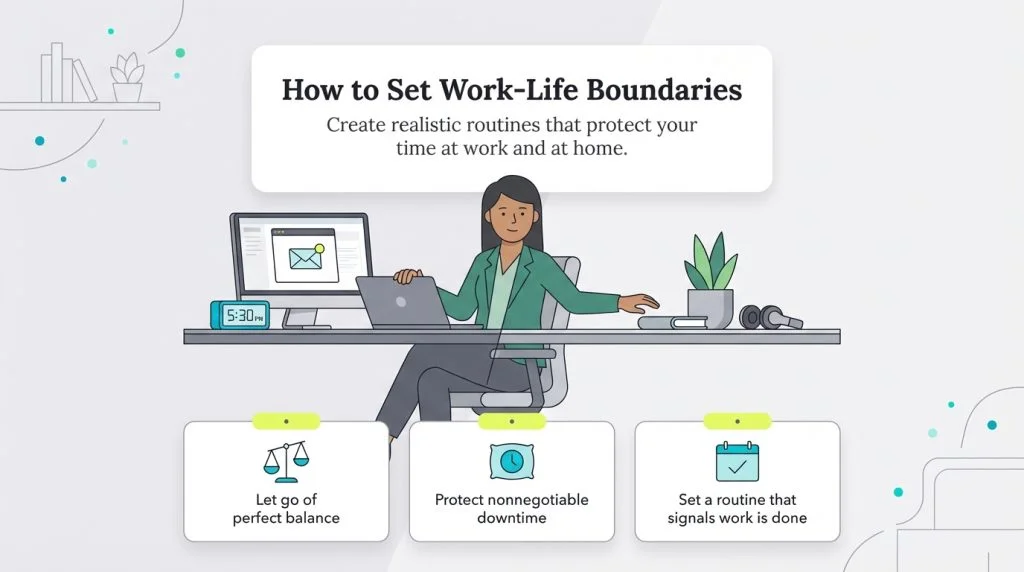
With the constant influx of emails, it becomes challenging to separate work responsibilities from personal time. Employees and professionals may find themselves checking work emails during evenings, weekends, or even on vacations. This intrusion disrupts the natural flow between work and personal life, leading to a feeling of being “always on.” When emails demand attention beyond office hours, it creates stress and diminishes the quality of downtime necessary for mental recovery.
The Psychological and Productivity Costs
Beyond just being a time drain, email overload can contribute to anxiety, decision fatigue, and burnout. Psychologically, the persistent pressure to respond immediately fosters stress, which can have long-term effects on mental health. On the productivity side, constant interruptions from email notifications fragment focus. As a result, tasks take longer to complete, errors may increase, and creative thinking suffers. Recognizing these costs is crucial for motivating effective management techniques.
Strategies to Control Email Volume
Unsubscribing and Filtering Emails
The first step to controlling your email volume is to reduce unnecessary messages. Start by unsubscribing from newsletters, promotional emails, and notifications that no longer provide value. Regularly auditing your subscriptions keeps your inbox cleaner. Additionally, email filtering rules help by automatically sorting incoming mail into folders based on sender, topic, or keywords. This organizational approach prevents low-priority emails from cluttering your main inbox, allowing you to focus on what truly matters.
Setting Up Priority Inbox and Labels
Most email clients offer features like priority inboxes or tabs that separate important emails from less critical ones. By training your inbox to recognize emails from key contacts or specific projects, you ensure these messages gain immediate visibility. Labels or tags further categorize emails, making retrieval easier and reducing stress when looking for particular correspondence. These tools streamline the inbox and prevent important emails from being buried under a pile of irrelevant ones.
Batch Processing: Checking Emails Strategically
Instead of reacting to emails as they arrive, batch processing involves dedicating specific times during the day to read and respond. This strategy limits distractions and helps maintain focus on larger or more complex tasks between email-checking periods. For example, choosing three set times—morning, midday, and late afternoon—can consolidate email management and reduce the temptation to constantly monitor your inbox. Over time, this approach can restore control and reduce email-induced stress.
Establishing Clear Work-Life Email Boundaries
Designating Specific Times for Email Engagement
Setting firm rules about when to engage with email reinforces work-life boundaries. Allocating email time strictly within your work hours allows you to disconnect fully after work. By refraining from checking or replying to emails outside these periods, you signal to yourself and others that personal time is respected just as much as professional hours. Consistency is key; the more rigidly you maintain these boundaries, the easier they become to uphold.
Communicating Email Expectations with Colleagues
Open conversations about email response times can alleviate the pressure to be constantly available. Sharing your work-life boundaries with team members and managers sets clear expectations. For example, informing colleagues that you will respond to emails only during business hours encourages mutual respect for personal boundaries. This communication fosters a healthier work environment and reduces misunderstandings related to email responsiveness.
Using Technology to Enforce Business Hours
Technology can assist in strengthening email boundaries. Many email platforms allow you to schedule emails for sending during business hours or use “do not disturb” modes that mute notifications after hours. Configuring these tools ensures you are not disturbed by incoming emails during personal time and prevents the habit of sending messages at inconvenient times. Leveraging technology in this way supports a balanced work-life rhythm.
Enhancing Email Efficiency
Crafting Concise and Clear Emails
Writing emails that are brief and straightforward saves time for both sender and recipient. Clear subject lines and to-the-point messages reduce the need for follow-up questions and lengthy chains. When you communicate efficiently, recipients can process your requests quickly, leading to faster resolutions and less back-and-forth email traffic.
Utilizing Templates and Canned Responses
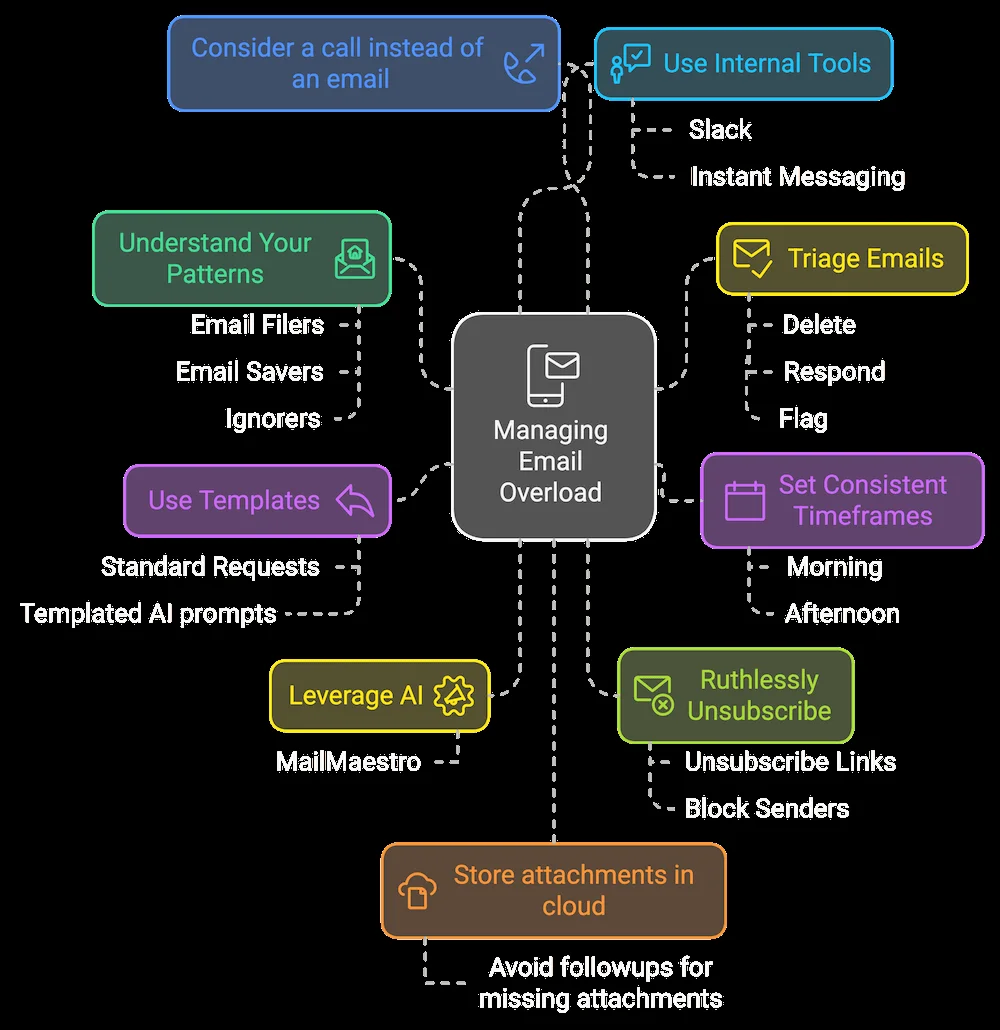
For repetitive email content, pre-written templates and canned responses are invaluable. These tools streamline replying to common inquiries or sending routine updates, significantly cutting down on time spent composing emails. Implementing templates also promotes consistency in communication, enhancing professionalism and reducing errors.
Reducing Email Chains and Encouraging Direct Communication
Long email threads can be confusing and inefficient. Whenever possible, encourage direct conversations such as quick phone calls or instant messaging to resolve matters swiftly. This approach minimizes unnecessary email backlogs and fosters clearer, more dynamic interactions. When email is necessary, aim to keep chains focused and concise to prevent misunderstandings and overload.
Leveraging Tools and Apps for Email Management
Email Management Software and Add-ons
Numerous software solutions and add-ons exist to help optimize email management, from intelligent sorting algorithms to productivity boosters. These tools can automate tasks like categorizing emails, prioritizing urgent messages, and setting reminders. Selecting the right software tailored to your workflow can dramatically reduce inbox chaos and enhance efficiency.
Integrating Task Management with Email
Combining email with task management apps increases organization by linking emails directly to actionable tasks. Instead of leaving important requests buried in your inbox, integrated tools allow you to convert emails into tasks with deadlines and reminders. This integration ensures that nothing falls through the cracks and supports better time management.
Automation to Minimize Manual Sorting
Automation reduces the repetitive work of manually organizing emails. Setting rules that automatically move newsletters, invoices, or updates to designated folders streamlines your workflow. Over time, automation learns your preferences and improves sorting accuracy, freeing you to focus on priorities without being bogged down by sorting duties.
Personal Habits to Support Healthy Email Use
Mindfulness and Digital Detox Practices
Incorporating mindfulness techniques helps combat the anxiety linked with constant email checking. Taking deliberate breaks from digital devices or practicing focused breathing during work can improve mental clarity. A mindful approach reduces compulsive email habits and encourages a healthier relationship with digital communication.
Creating No-Email Zones or Times
Designating certain physical spaces or time periods as email-free reinforces healthy boundaries. For example, avoiding emails at the dining table or during morning routines creates mental separation between work and personal life. These zones provide respite from digital interruptions and allow time for relaxation and recharging.
Regularly Reviewing and Adjusting Email Habits
Email management is not a one-time fix but an ongoing process. Periodically reflecting on your email habits and adjusting strategies helps maintain effectiveness. Pay attention to what causes overload or distraction, and refine your routines accordingly. Continuous improvement ensures sustainable work-life balance and ongoing productivity gains.


